Answer on your phone
Participants join without installing another app.
Prepare questions, share a QR code and show live results at a conference, training session or event.
Free plan: 1 quiz · up to 50 participants · no card required
Watch the tutorial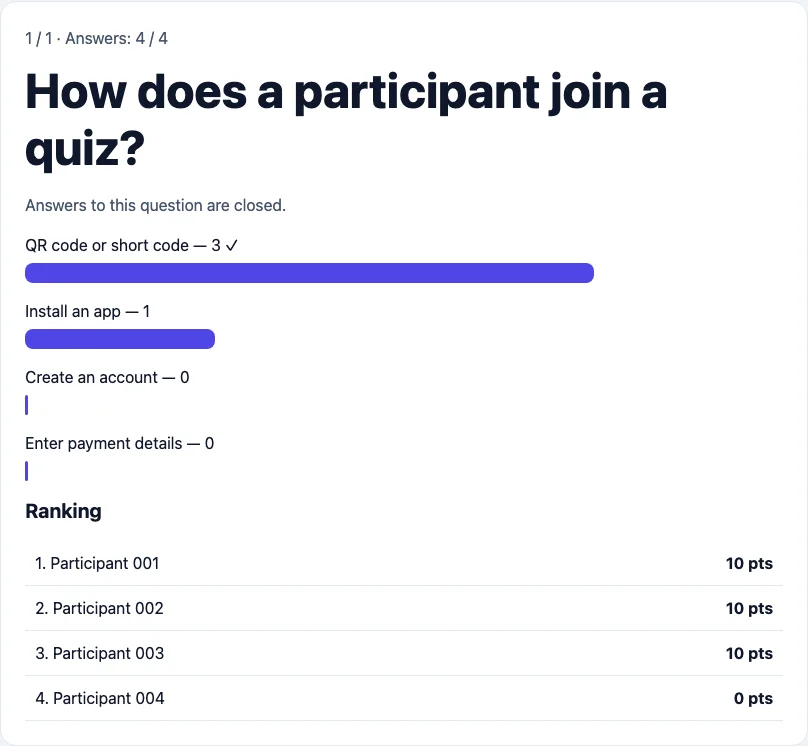
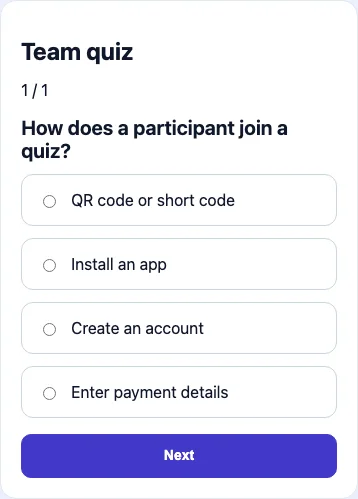
Enter 6 digits. No app installation required.
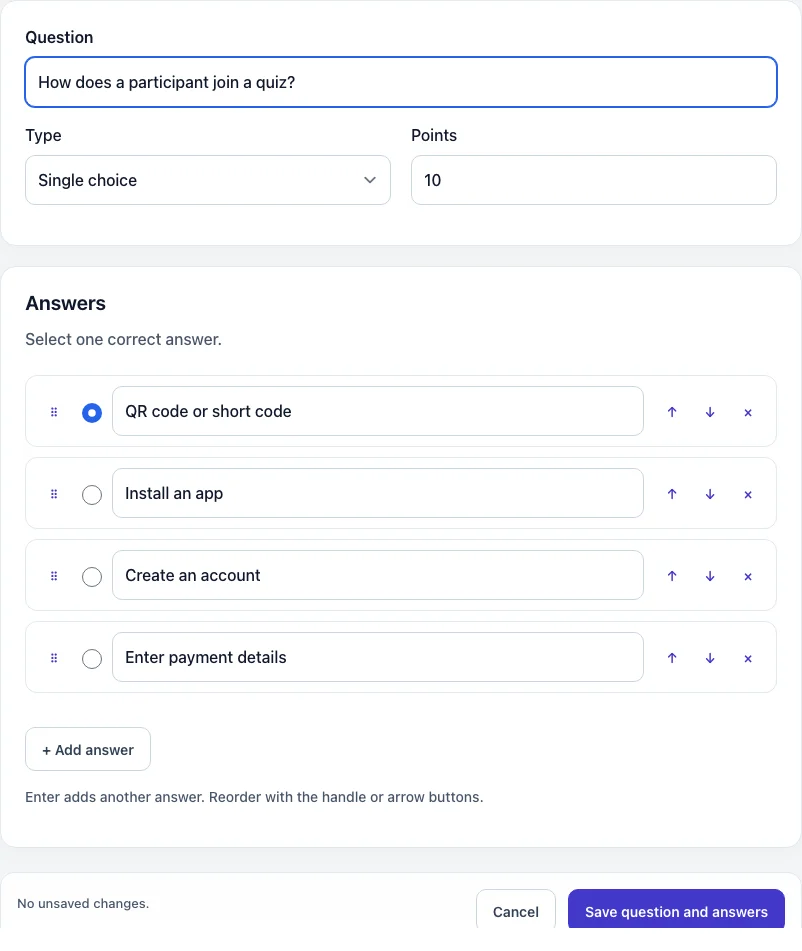
Write questions and answers, or prepare a draft with AI.
Participants open the quiz on their phones. No app needed.
Set your own pace and display the ranking on a big screen.
Turn an idea into a set of questions with practical examples, sharing instructions and a checklist for your event.
Read the guide to creating online quizzesFrom the name and questions to privacy settings, publishing and sharing a QR code.
Everything you need for a shared quiz, from the first answer to exporting results.
Participants join without installing another app.
One scan is all it takes to start the quiz.
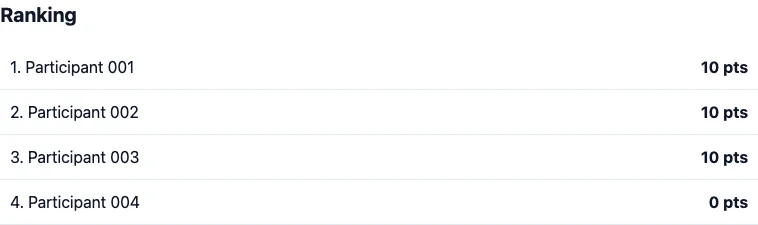
Control the pace and show results to your audience.
Review answers and export data to Excel.
Optional lead forms and consent settings for each quiz.
Choose a question type, share your quiz and compare results. No moving data between tools.
Online quizzes tailored to your event and audience.
Invite your audience to take part during a talk.
Explore this use caseCheck knowledge and discuss answers with the group.
Explore this use caseBring remote attendees together in a shared quiz.
Explore this use caseAdd a short employee competition to your agenda.
Explore this use caseConnect people through questions and friendly competition.
Explore this use caseTurn your questions into a browser-based quiz.
Explore this use caseProvide a webpage or upload a PDF. AI prepares a draft for you to review and edit before publishing.
AI draft: up to 5 questions, within your plan’s quiz limit.
0 PLN
Quizzes: 1
Up to 50 participants per quiz
Try for free49 PLN / month
Quizzes: 10
Up to 200 participants per quiz
Pricing99 PLN / month
Quizzes: 100
Up to 5000 participants per quiz
PricingNo. The quiz opens in the phone’s browser from a QR code or a link.
Limits depend on the plan: Free — 50, Professional — 200, Enterprise — 5000 participants per quiz.
Yes. Choose participation without registration. Lead forms and extra consents are optional; processing information is available before joining.
Yes. Export data from the results panel, including Excel. Live sessions have a separate CSV export.
The interface supports Polish, English, German and Spanish. You write your own questions and answers.
Prepare your questions and invite people to play.
Use your browser or add Quiz Code to your home screen. Installation is optional.
In Safari, open Share and choose Add to Home Screen.
In your browser menu, choose Install app or Add to Home screen.
Choose “Install app” in your browser menu or click the install icon next to the address bar.
A separate app for outdoor games. Visit points on a map and complete challenges.